
Online help
The web host accessible to all
Procédure
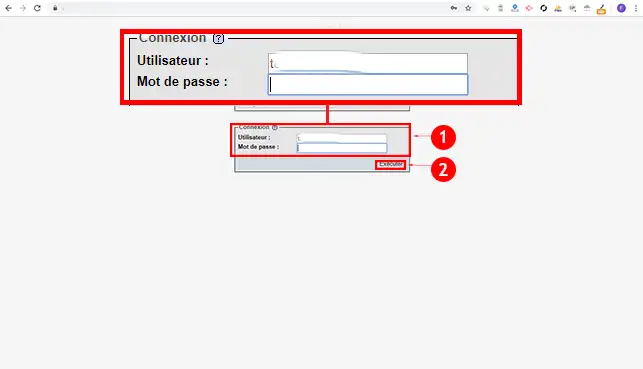
1. Connect to your PHPMyAdmin interface. You should have received the database connection information by email when Joomla was automatically installed. If you don't remember these connection details, simply go to your FTP interface and open the"configuration.php" file. This file contains the database connection information. Enter the username and password of the database user and click the"Run" button.
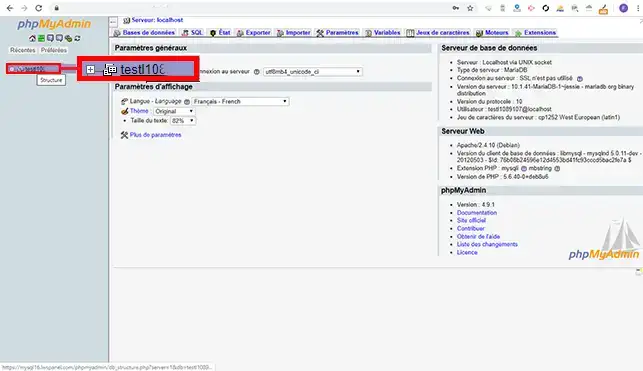
2. Click on the name of the database at the top left of your screen toaccess all the tables.
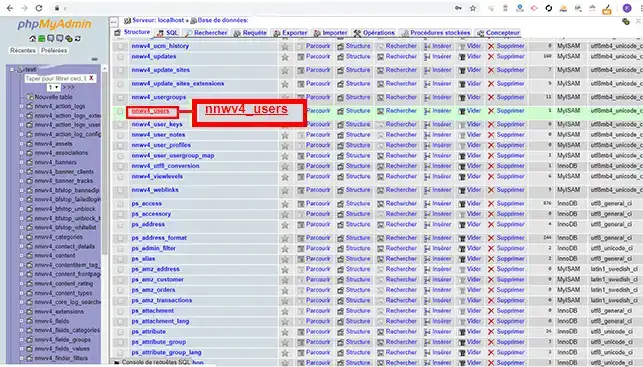
3. Find the"_users" table and click on it to access the list of users.
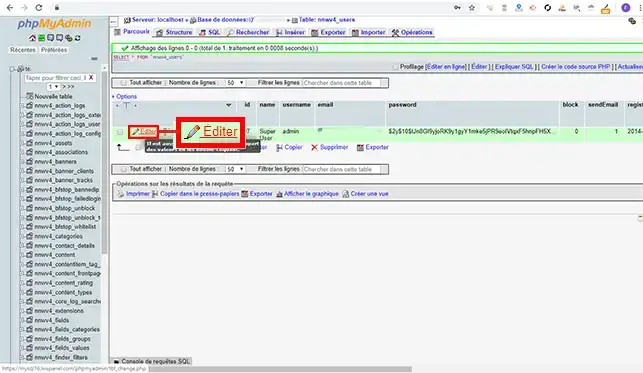
4. Click on the"Edit" tab in front of the user for whom you want to change the password.
5. Find the"Password" line and edit as follows:
Finally, click on the"Run" button at the bottom of the page.
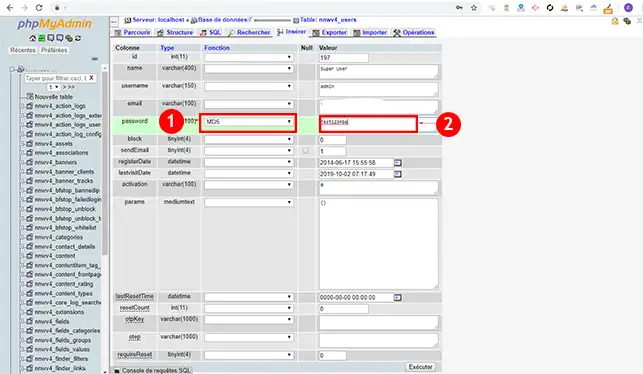
You can now change your Joomla hosting administration access password if you lose it.
Don't hesitate to share your comments and questions in the comments section.
Ask the LWS team and the community. Answers are published after moderation.
 About LWS :
LWS is a 100% French web hosting company that focuses on quality and innovation and offers a responsive and competent technical service at affordable prices.
About LWS :
LWS is a 100% French web hosting company that focuses on quality and innovation and offers a responsive and competent technical service at affordable prices.



 Yes
Yes No
No