Joomla is a content management system ( CMS) with basic functions for editing text, modifying content and adding images. It is possible to install extensions to add new functions to the site, such as :
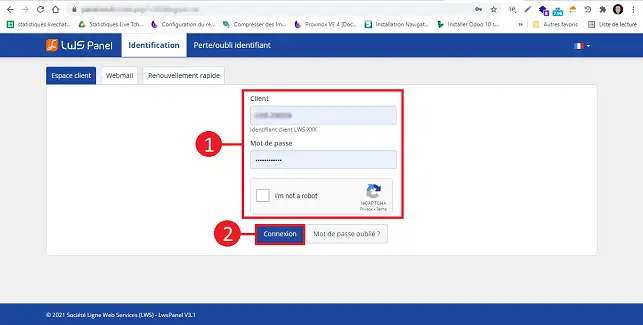
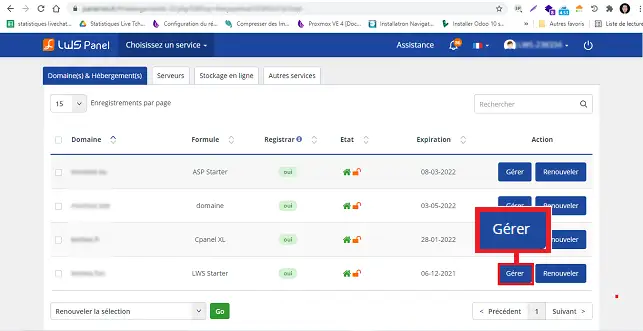
22. Click on the"Manage" button behind the domain on which you wish to install Joomla.
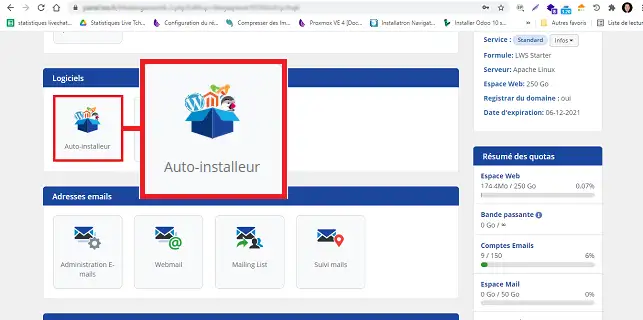
33. Click on the"Auto-installer" button in the"Software" section.
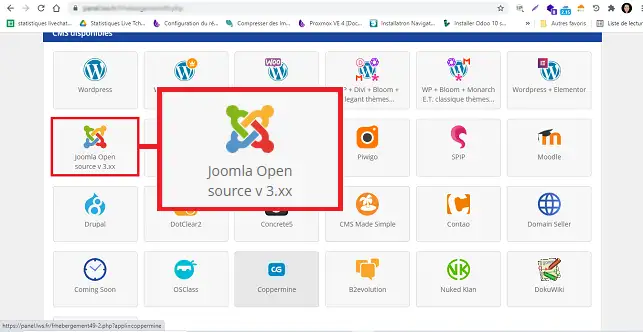
44. Choose"Joomla" by clicking on the button provided.
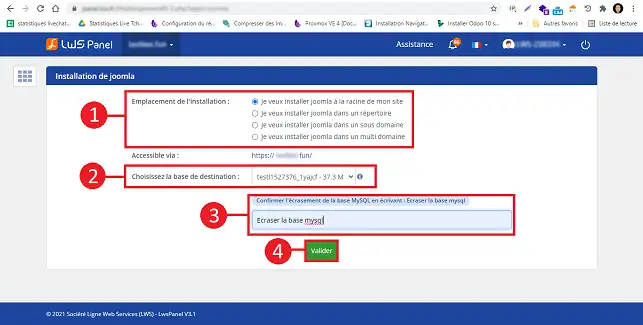
3. Indicate whether you want Joomla to be installed at the root of your site (at the base of your site) or in a folder. (If you want to display a shop window, for example). Also choose the database to be used for installing Joomla. Finally, fill in the"Overwrite MySQL database" field and click on the"Validate" button.
5. Once the installation is complete. You can access the Dashboard of your Joomla site using the connection information sent by email.
How do I change the graphic model of a Joomla site?
Our partner Themeforest has thousands of graphic templates to suit every activity.
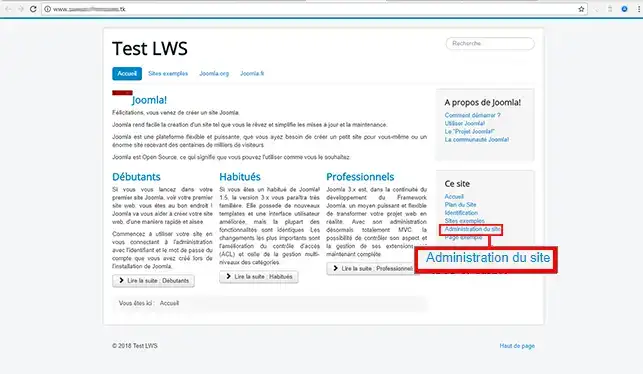
1. Go to your Joomla administration. (In this form example.com/administrator) Your Joomla may be in a sub-domain.
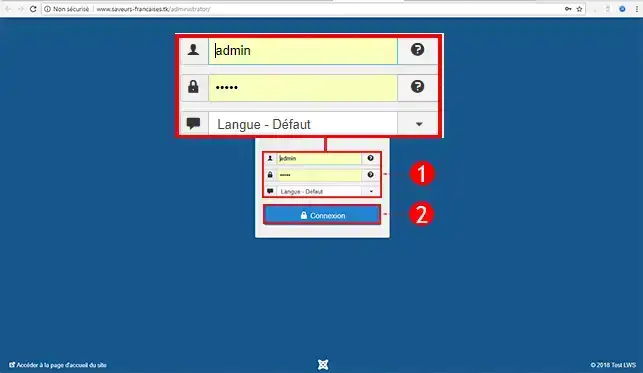
2. Enter your access details to connect(the administrationsettings will be sent to the email address associated with your LWS account).
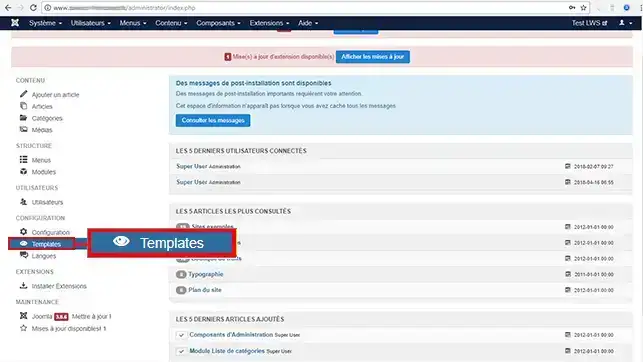
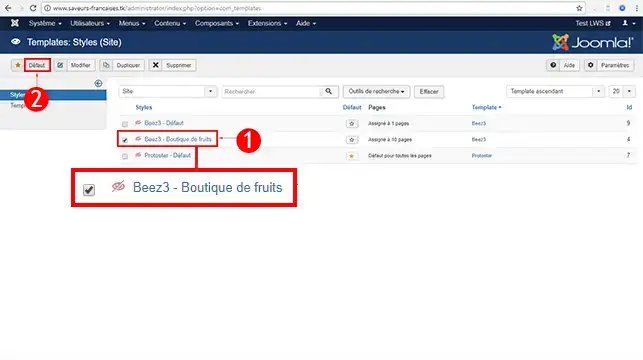
3. On the left-hand menu, click on the User Management tab.
4. Choose your new Graph Model, then click Default to save.
Joomla Themes
Discover thousands of graphic templates adapted to any activity at our partner Themeforest
How to install Joomla on your hosting?
Conclusion
You can now install your Joomla site automatically with LWS. You need to keep your Joomla version and modules up to date to ensure the security of your website.
Don't hesitate to share your comments and questions!



 Yes
Yes No
No About
About 