How to activate debug mode in your Joomla site

Procédure

How to activate debug mode in your Joomla site

Joomla 's Debug mode allows you to view essential information, including errors. This gives you a better understanding of how to resolve them effectively.

Debug mode mainly informs you about the following errors.

  • Memory usage
  • Database queries
  • Profile information
  • Session data

How to activate debug mode in your Joomla site

To activate Debug mode in Joomla:

  • Log into your Joomla administration panel
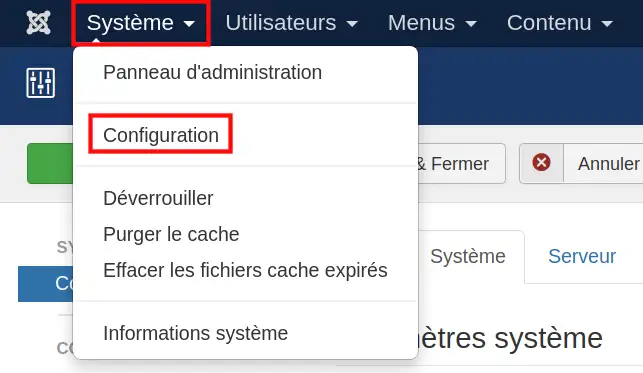
  • In the "System" menu , click on the "Configuration" link

How to activate debug mode in your Joomla site

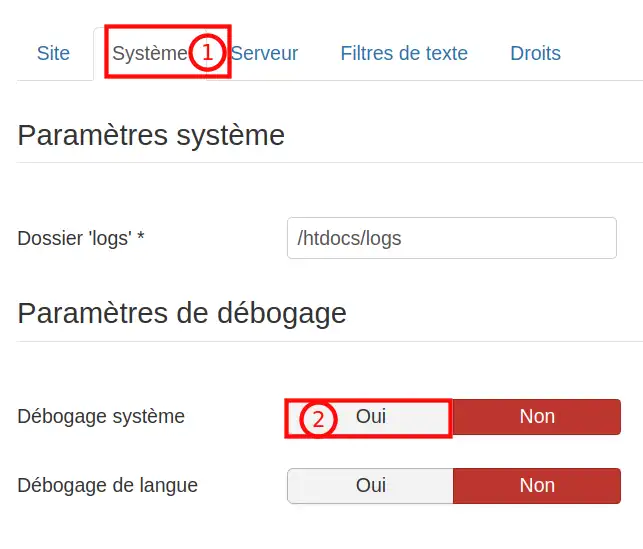
  • You should see several tabs listed at the top of the page. Click on the 'System' tab (1) and click'YES' on the'Debugging System' setting (2)

How to activate debug mode in your Joomla site

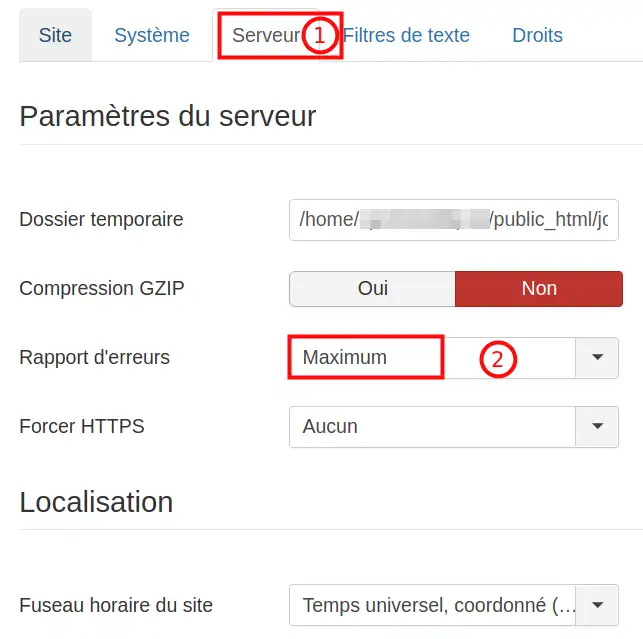
  • Then from the 'Server' tab (1) change the 'Error report ' value to 'maximum ' (2)

How to activate debug mode in your Joomla site

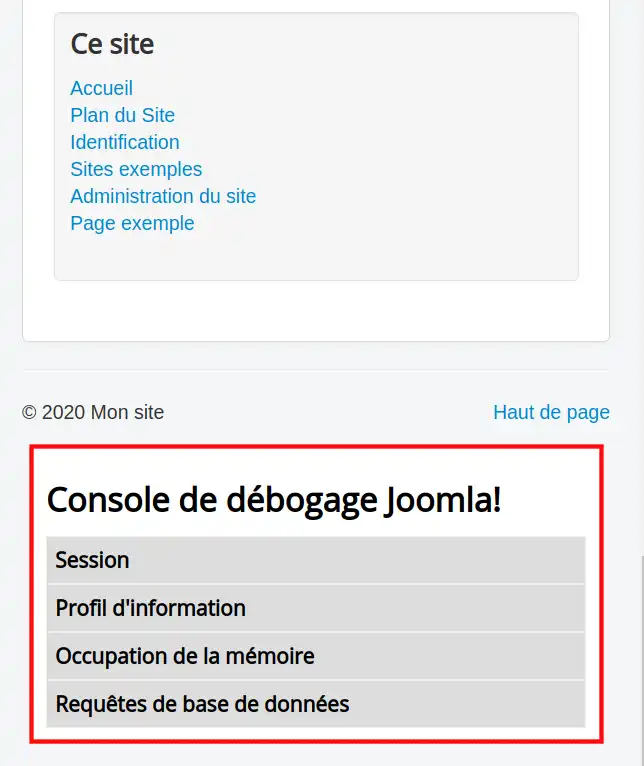
  • When you visit your Joomla site again, you should see a list of debugging information listed towards the bottom of the page (see screenshot below). This information will be under a heading called:Joomla! Debug Console

How to activate debug mode in your Joomla site

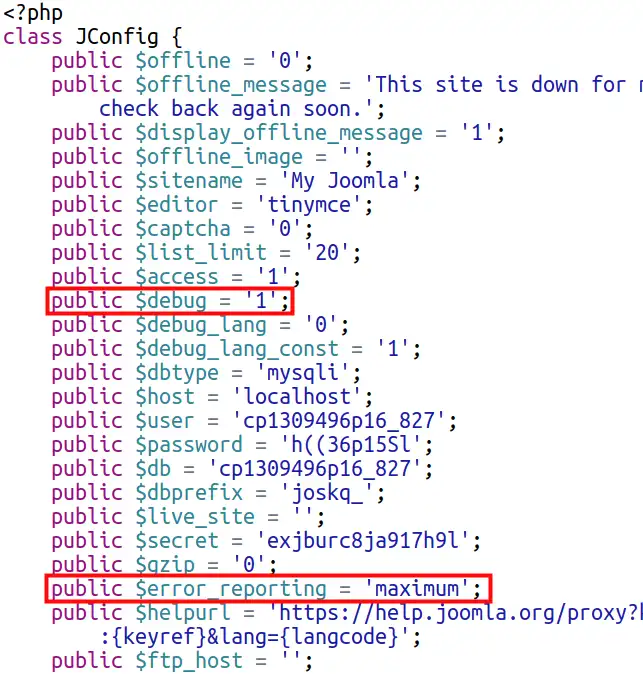
  • If you don't have access to your Joomla administration, you need to modify the configuration.php file via FTP by setting the $debug variable to 1. i.e.: public $debug = '1'; and by modifying $error_reporting to 'maximum'.

How to activate debug mode in your Joomla site

Conclusion:

You've learnt how to activate Debug mode in your Joomla. Debug mode allows you to view important information such as errors, which will help you correct the way your site works.

help.lws.net/a/1478
Was this article helpful?

Yes

No

Read 15 860 times

Thank you! Feel free to ask questions about our documentation if you would like more information, and help us improve it.

Similar articles

A question about this article?

Ask the LWS team and the community. Answers are published after moderation.

Ask the LWS team and its community a question

GDPR: Controller: LWS-Ligne Web Services. Purpose: moderation and public publication of your question, possible notification of an answer. Legal basis: consent (Art. 6(1)(a) GDPR). Email retention: 90 days after notification, 12 months maximum without an answer. To exercise your rights, see the GDPR section of our Terms and Conditions.