Procédure
To understand which email backups are available according to your plan, first consult the Backup Policy for your shared web hosting.
I. Checking the availability of 1-click restore
The LWS Panel offers a one-click restore feature to quickly restore lost data on your various web, MySQL, and mail services.
To find out whether your plan includes this feature and what the limits of the backup and data restoration service are, please refer to this documentation.
II. How do I access the LWS Panel restore service?
Step 1 : First, you must log in to your LWS account and access the shared hosting for which you want to restore a web file backup.
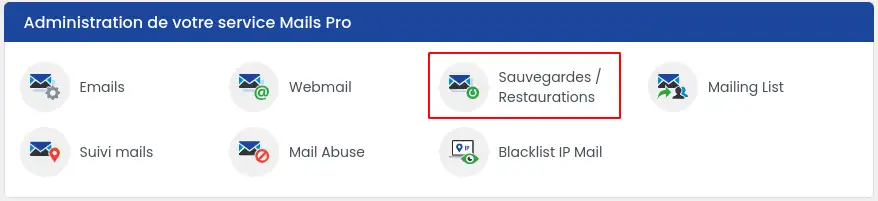
Step 2 : Click the "Backups / Restores" button in the "Files" section.

Or for Mail Pro service holders, click the "Backups / Restores" button in the "Mail Pro Service Administration" section.
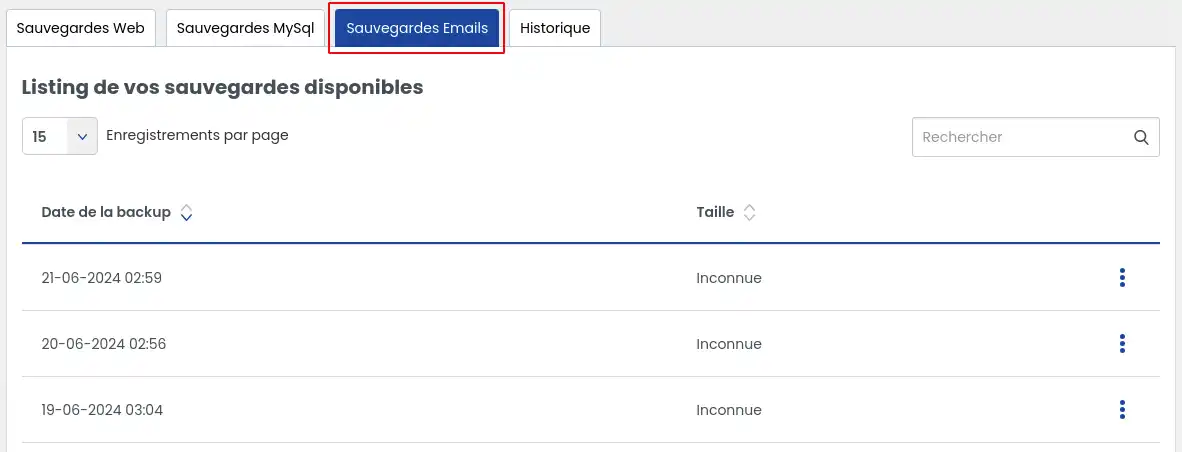
Step 3 : Click the "Email Backups" tab to access all the backups available on your hosting plan.
III. How do I download an email backup?
The tab lists all backups available immediately for downloading your emails.
Depending on the subscribed service, you may benefit from backups from the last 30 or 90 days.
Select the backup you want to download then click the button to the right of the backup, which will allow you to choose different actions
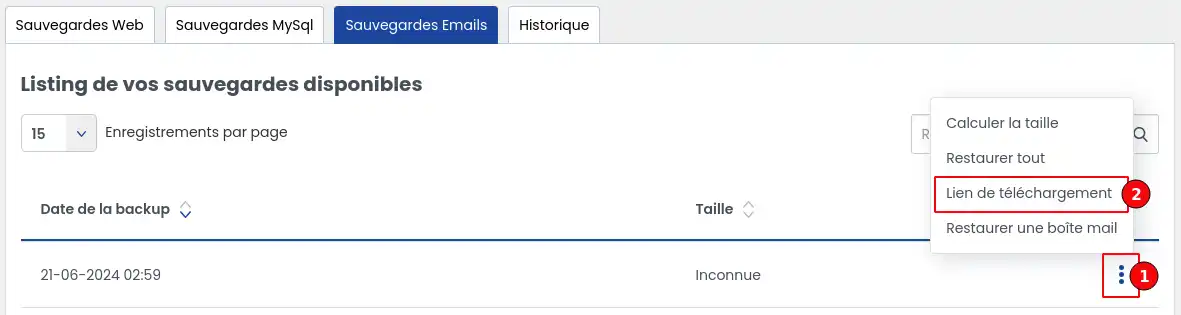
Then click the "Download link" option to generate a link allowing you to download your backup.
The following window opens:
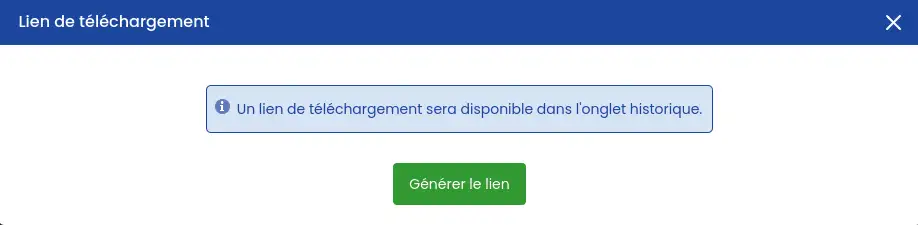
Click "Generate link" to launch the action.
Once this action has been completed, click the history tab to check the progress of link generation. The action may take several minutes depending on the volume of data involved.
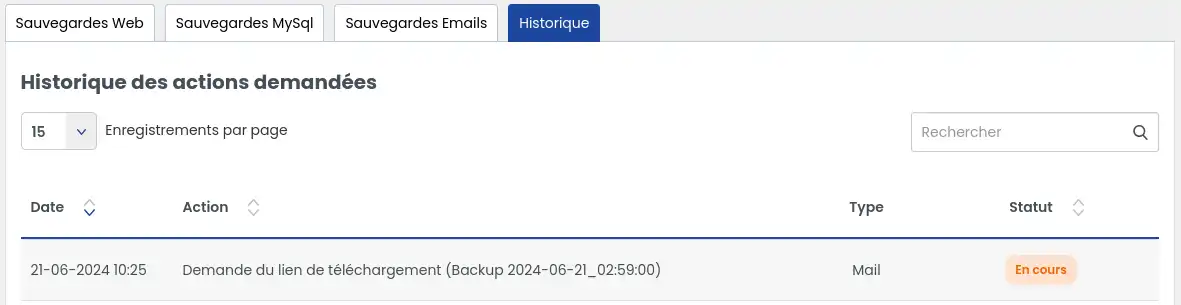
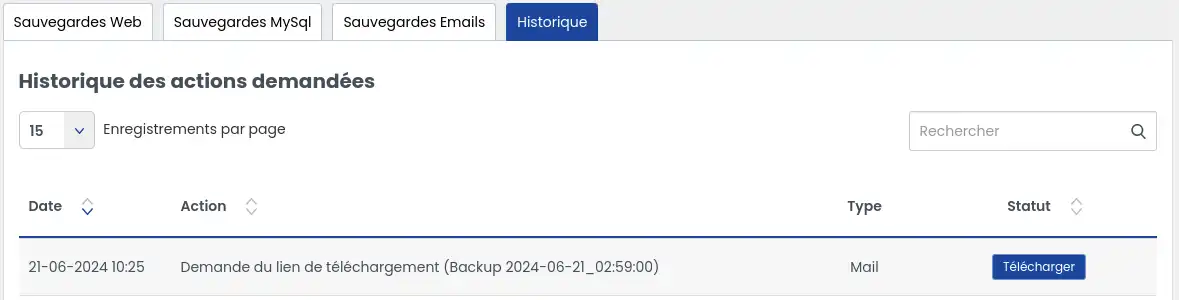
You can refresh the page to regularly check whether the status changes. Once the link has been generated, you will see a button allowing you to download your backup.
IV. How do I restore an email backup?
The tab lists all backups available immediately for restoring your website.
Depending on the subscribed service, you may benefit from backups from the last 30 or 90 days.
Select the backup you want to restore then click the button to the right of the backup, which will allow you to choose different actions
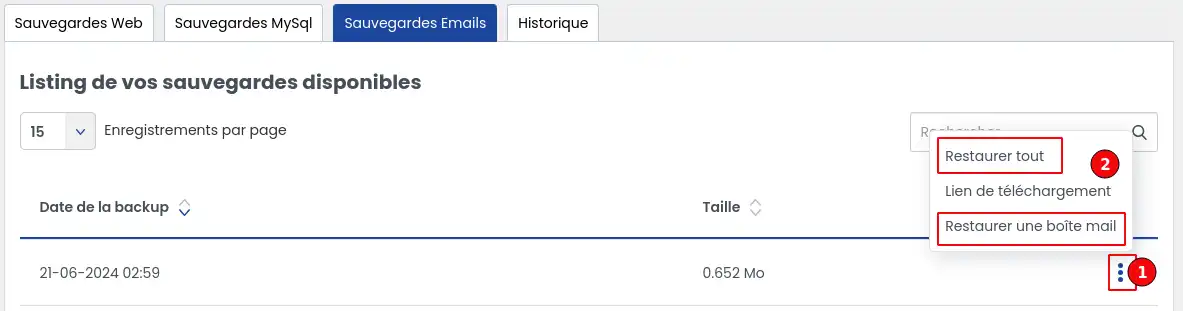
A. Restore all
This first option, if selected, restores all emails contained in the backup for all email accounts in the domain.
Once the option is selected, a confirmation window appears:
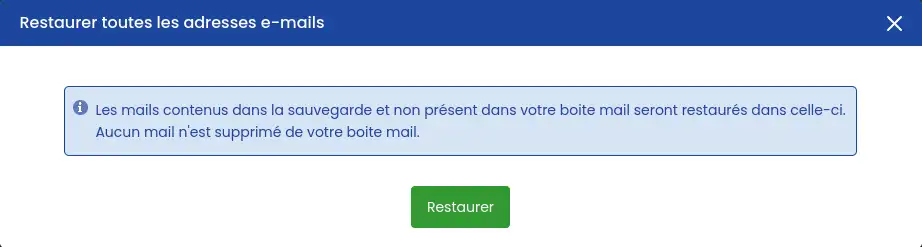
Once the action is confirmed, it will be impossible to stop the restore until it is complete.
Restoring emails restores the emails present in the backup that are not present in your mailboxes. The restore does not delete emails that may be present in your mailboxes, but not in the backup (because they were received after the backup date).
B. Restore a mailbox
This option restores all items linked to a specific email address
Once the option is selected, a confirmation window appears:
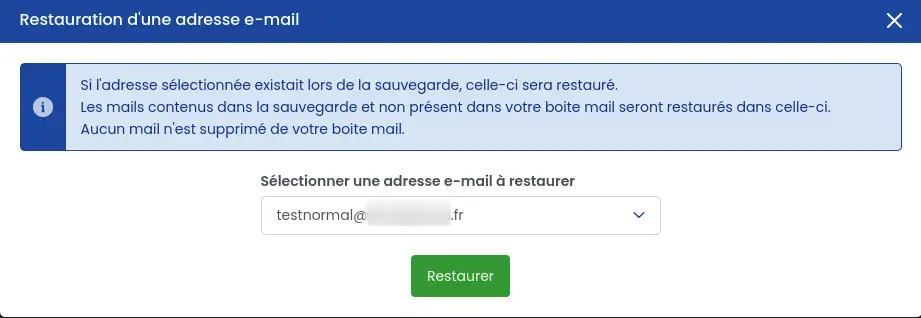
Select the email address whose content you want to restore from the selector.
Once the action is confirmed, it will be impossible to stop the restore until it is complete.
Restoring emails restores the emails present in the backup that are not present in the mailbox. The restore does not delete emails that may be present in the mailbox, but not in the backup (because they were received after the backup date).
C. View restore progress
Click the history tab to check the progress of the restore. The action may take several minutes depending on the volume of data involved.
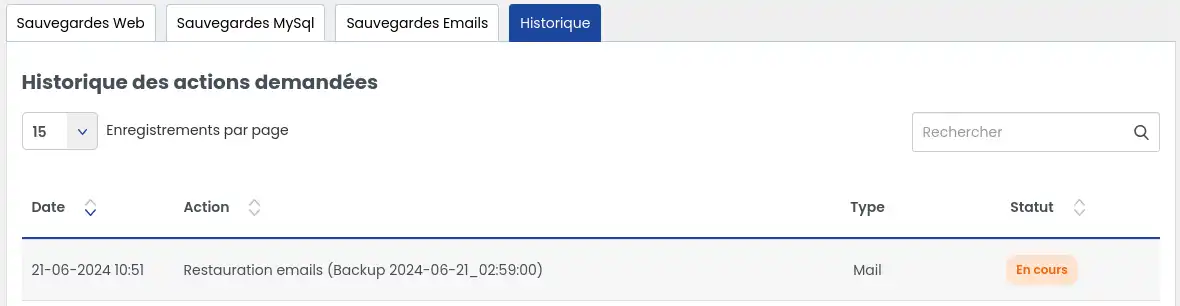
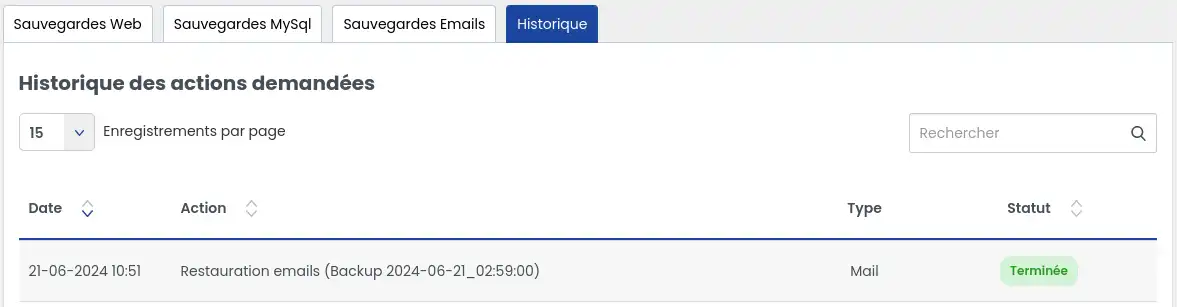
You can refresh the page to regularly check whether the status changes. Once the restore has been performed, you will see it in the status.
V. What should I do if the backup I want is not listed?
If the backup you want to restore is not listed, it is probably because your service level does not allow it. You must then subscribe to a Business support option to benefit from the ability to restore email backups up to 90 days, or subscribe to a managed service "Backup search" at a price of €49 excluding VAT so that a technician can perform the operation for you.
Beyond 90 days, LWS deletes the backups, so it will not be possible to restore a backup beyond this limit.
VI. Error during restore
If, after performing a restore, it shows an error, please contact our technical support service directly so that a technician can analyze the problem and perform the action for you if it is possible.
Conclusion
You now know how to:
- Check the availability of 1-click restore for your web, MySQL, and mail services with the LWS Panel 🛠️
- Access the restore service and navigate through the different steps to restore your data 🔄
- Download an email backup to keep a copy of your important communications 💾
- Restore an email backup, either globally or for a specific mailbox 🔃
- Take action if the desired backup is not listed and know the available options to recover your data 🕵️♂️
- Handle restore errors and know when to contact technical support for assistance 🆘
By following these steps, you can ensure that your information is secure and easily recoverable when needed. Peace of mind is priceless, especially when it comes to the security of your digital data. 🛡️
Thank you for reading this article! If you have any questions or would like to share your experience with the LWS restore service, feel free to leave a comment below. Your feedback is valuable in helping us improve our services! 🤗



 Yes
Yes No
No About
About 