
 Contact us
 Customer Area


 Visit LWS


 Yes
Yes No
No Article read
2450223 once
Article read
2450223 once Merci ! N'hésitez pas à
poser des questions sur nos documentations si vous souhaitez plus d'informations et nous aider à les
améliorer.
Merci ! N'hésitez pas à
poser des questions sur nos documentations si vous souhaitez plus d'informations et nous aider à les
améliorer.
Bonjour,
Je souhaite retrouver un accès à la boite mail de mon ancien nom de domaine. Y'a-t-il un moyen d'y parvenir?
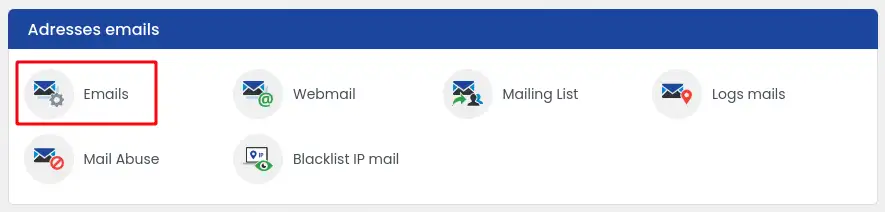
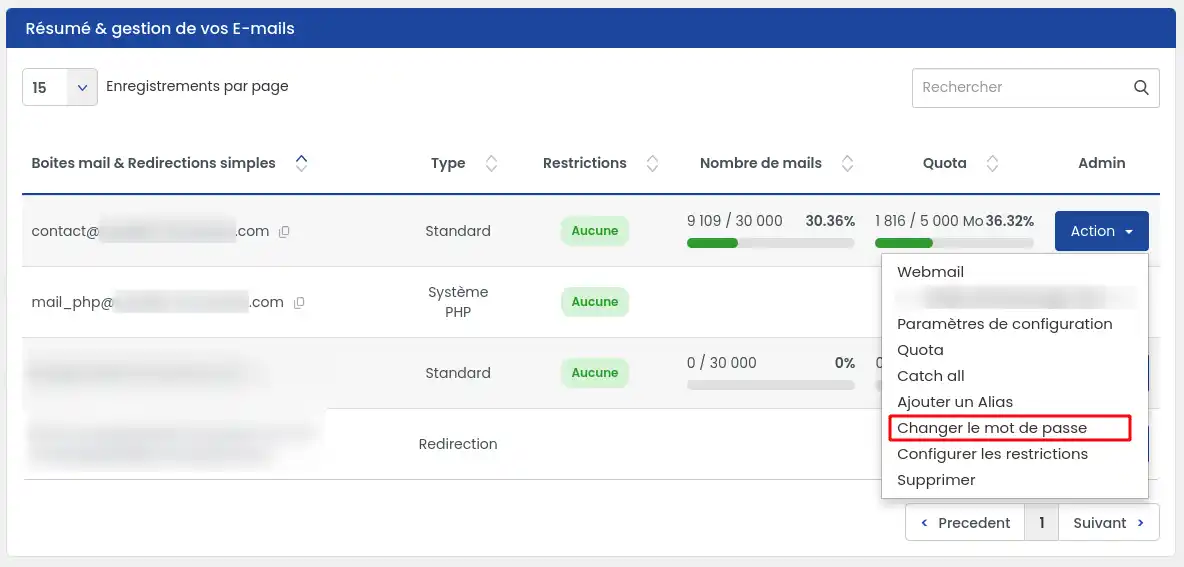
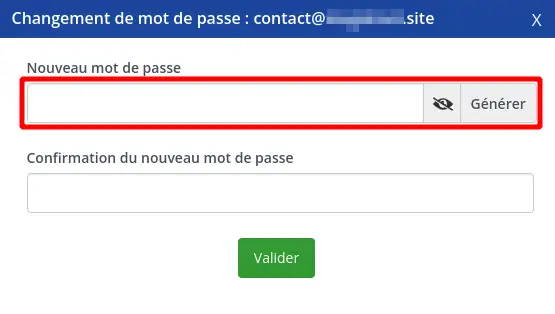
Hello, if your domain name is still accessible on your LWS customer area, you can change the password attached to your email address by going to your customer area, click on "Manage" behind the domain name concerned and then on "Email Administrations". Then click on "Actions/Password" behind the e-mail box concerned.
Cette reponse vous a aide ?
Bonjour, si votre nom de domaine est toujours accessible sur votre espace client LWS, vous avez la possibilité de modifier le mot de passe rattaché à votre adresse email en vous rendant sur votre espace client, cliquez sur "Gérer" se trouvant derrière le nom de domaine concerné puis sur "Administrations Emails". Cliquez ensuite sur "Actions/Mot de passe" se trouvant derrière la boite email concernée.
Cette reponse vous a aide ?
Oui
Cette reponse vous a aide ?
je ne sais pas
Cette reponse vous a aide ?
Kabak ndiaye [email masqué] 4474 8666 [email masqué] Kabak ndiaye
Cette reponse vous a aide ?

 About
About 